.svg)
How to Audit Your Subscriptions and Stop Paying for What You Don’t Use
Discover how AI is transforming the legal landscape and what it means for your practice.




Introduction
A step-by-step process to find every recurring payment, decide what to keep, and cancel the rest before the next billing cycle.
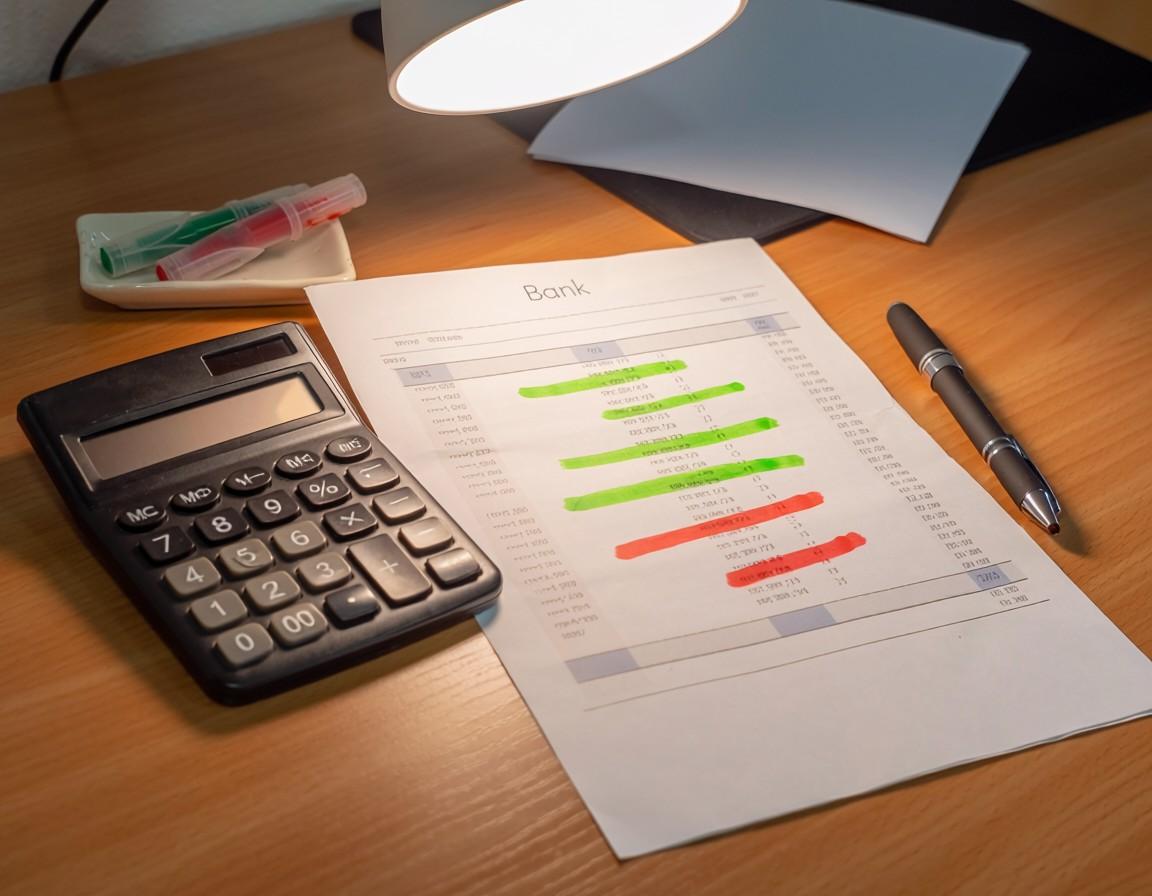
How to check what subscriptions I’m paying for
You probably pay for more subscriptions than you think.Research consistently shows that consumers underestimate their recurringspending by 2 to 3 times. The average UK adult spends £786 per year onsubscriptions, but most guess it’s closer to £200.
The difference, that invisible £500+ gap, is where moneydisappears. Free trials that converted. Memberships you stopped using. Servicesthat quietly increased their price. Contracts that auto-renewed without areminder.
A subscription audit is the single most effective30-minute task you can do for your finances. It requires no expertise, nospecial tools (though the right tool makes it faster), and no commitment beyondlooking at your bank statements honestly. This guide gives you the exactprocess, step by step.
UK consumers underestimate their subscription spending by 2 to 3 times. The average adult spends £786 per year on subscriptions (Aqua, 2025) but guesses closer to £200. A 30-minute subscription audit typically reveals £30 to £80 per month in payments for services no longer used, equivalent to £360 to £960 per year in recoverable savings.
When Should You Do a Subscription Audit?
The short answer is: now. But if you want to build itinto a routine, these are the best triggers.
January and July: Twice-yearly audits catch seasonalsubscriptions and annual renewals. January catches new year signups, Julycatches things that drifted through the first half
After a bank statement shock: If you’ve ever lookedat your statement and thought “where did all that go,” that’s the signal toaudit
Before any financial decision: About to apply for amortgage, loan, or credit card? Clean up your recurring payments first. Lenderslook at committed expenditure
When a contract is ending: If one major contract(phone, broadband, insurance) is up for renewal, use the moment to revieweverything else too
When you notice a price increase: One increase oftenmeans others happened too. If your streaming service went up, check what elsecrept higher
The ideal subscription audit schedule is twice per year, in January and July. Additional audits should be triggered by bank statement surprises, upcoming financial applications (lenders assess committed expenditure), contract renewals, or any noticed price increase on existing services.
Step 1: Gather Your Statements
You need three months of bank and credit card statements.Here’s why three months and not one.
One month misses quarterly charges, annual renewals, andpayments that happen on different dates each month. Three months catches thevast majority of recurring payments. If you want to be thorough, pull twelvemonths to capture annual subscriptions like insurance, software licences, andmembership renewals.
Where to Look
Current account statements: Direct debits andstanding orders, the most common subscription payment method
Credit card statements: Recurring card charges from streamingservices, software, and online memberships
PayPal and digital wallets: Many subscriptionsroute through PayPal, Apple Pay, or Google Pay and don’t appear as directdebits
Apple App Store / Google Play: In-app subscriptionsare billed through your app store account, not your bank. Check Settings thenSubscriptions on your phone
Your email inbox: Search for “payment confirmation,” “renewal,”“receipt,” and “subscription” to find services you forgot about
If this sounds like a lot of places to check, that’sexactly why subscriptions go unnoticed. They’re spread across multiple paymentchannels and none of them give you a complete picture. Binding Docsconsolidates this automatically by importing documents from email and cloudaccounts and flagging every recurring payment in one dashboard.
A complete subscription audit requires checking at least five sources: bank current account statements (direct debits), credit card statements (recurring charges), PayPal and digital wallets, Apple App Store or Google Play subscriptions, and email inboxes (payment confirmations and renewal notices). Three months of statements is the minimum; twelve months catches annual renewals.
Step 2: List Every Recurring Payment
Create a simple list with four columns. You can use aspreadsheet, a notepad, or just a piece of paper. What matters is capturingeverything.
Column 1, Service Name: What is it? Netflix, PureGym, Spotify,AA Breakdown, etc.
Column 2, Amount: How much per month (or per year, divided by 12)
Column 3, Last Used: When did you last actively use thisservice?
Column 4, Renewal Date: When does it next charge or renew? Ifannual, when is the next annual charge?
Be honest in the “Last Used” column. “I might use it nextmonth” doesn’t count. If you haven’t used it in the last 30 days, mark it asunused. If you can’t remember the last time you used it, that’s your answer.
Common Payments People Miss
While you’re listing, watch for these frequentlyoverlooked charges:
Insurance add-ons: Breakdown cover, gadget insurance, travelinsurance, and phone protection bought at point of sale and auto-renewedannually
Cloud storage upgrades: Upgraded iCloud, Google One, or Dropboxfor a one-time need and never downgraded back to free
Professional memberships: Industry bodies,professional associations, and networking groups with annual auto-renewal
Charity donations: Standing orders set up during a specificcampaign and still running
Old phone contracts: Switched to a new deal but the oldSIM-only contract kept charging on a different payment method
A subscription audit list should capture four data points per service: name, monthly cost, date last used, and next renewal date. Commonly missed payments include insurance add-ons, cloud storage upgrades, professional memberships, charity standing orders, and old phone contracts still charging on different payment methods.
Step 3: Sort into Keep, Review, and Cancel
With your full list in front of you, sort everysubscription into one of three categories.
Keep
Services you use regularly and are happy with the price.No action needed, but note the renewal date so you can review the price beforethe next renewal cycle. Even “keep” subscriptions deserve an annual pricecheck.
Review
Services you use occasionally but aren’t sure if they’reworth the price. Ask yourself: if this subscription disappeared tomorrow, wouldI sign up for it again at this price? If the answer is no or maybe, it belongsin “Review.” Give yourself one week to decide, then it moves to either Keep orCancel.
Cancel
Services you don’t use, didn’t know about, or aren’tworth what they cost. This is where the money is. Don’t negotiate withyourself. If you haven’t used it in 30 days and you wouldn’t re-subscribetoday, cancel it.
Most people find that 20 to 40% of their subscriptionsfall into the Cancel category. For a household spending £786/year onsubscriptions, that’s £150 to £300 in immediate annual savings from a single30-minute exercise.
Sorting subscriptions into Keep (actively used, fair price), Review (occasionally used, uncertain value), and Cancel (unused or not worth the cost) typically reveals that 20 to 40% of a household’s subscriptions are cancellable. For the average UK household spending £786/year, this represents £150 to £300 in immediate recoverable savings.
Step 4: Cancel Everything in the Cancel List
This is where most people stall. You’ve identified thewaste, but cancelling feels like effort. Here’s how to get through your cancellist efficiently.
Check the Cancellation Method
Every subscription has specific cancellationrequirements. Some accept online cancellation through your account settings.Some require an email. Some require a phone call (deliberately). Some needwritten notice by post during a specific window. Before you start, check theterms for each service. Binding Docs extracts cancellation requirementsautomatically from any uploaded agreement.
Start with the Easiest Cancellations
Cancel online-cancellable services first: streaming,software, app subscriptions. This builds momentum. Log into each account, findthe cancellation option (usually in Account or Billing settings), and completeit. Screenshot or save the confirmation.
Tackle Phone and Email Cancellations Next
For services that require a phone call or email, batchthem. Set aside 30 minutes, call each one in sequence, and keep notes. Whenthey offer retention deals, ask yourself: would I sign up for this today at theretention price? If no, decline and complete the cancellation.
Handle Written Notice Cancellations Last
Some services, particularly gyms and certain insuranceproducts, require written cancellation notice with a specific notice period.Missing the window means another billing cycle. Binding Docs draftscancellation letters that meet the exact requirements specified in eachcontract and tracks the notice period deadline.
Always Keep Proof
For every cancellation, save: the confirmation email orscreenshot, the date you cancelled, the name of the person you spoke to (if byphone), and a copy of any written notice. If a company continues charging aftercancellation, this proof is your evidence.
Effective subscription cancellation requires: checking each service’s specific cancellation method (online, email, phone, or written notice), starting with the easiest online cancellations, batching phone calls, handling written notice services with attention to deadlines, and saving proof of every cancellation. Companies may continue charging if you can’t prove when you cancelled.
Step 5: Set Up a System to PreventResubscription Waste
Cancelling is a one-time fix. Prevention is the long-termstrategy. Without a system, you’ll be back in the same position within a year.
Centralise All Subscription Tracking
The core problem is visibility. Subscriptions goforgotten because they’re invisible, charging in the background across multiplepayment methods. You need one place where every active subscription is listedwith its cost, renewal date, and cancellation terms. Binding Docs does thisautomatically by importing subscription confirmations from email and extractingthe key dates.
Set Reminders Before Every Renewal
For every subscription you keep, set a reminder 7 to 14days before the renewal date. This gives you time to decide: continue,renegotiate, or cancel. Binding Docs sets Smart Reminders automatically with nocalendar entries needed. You get an alert before any subscription renews.
Apply the 48-Hour Rule for New Signups
Before signing up for any new subscription, wait 48hours. If you still want it after two days, sign up and immediately set areminder for the end of the trial period or the first renewal date. Impulsesignups are the single biggest source of subscription waste.
Use a Dedicated Email Address
Route all subscription signups through a single emailaddress. This keeps renewal notices, price changes, and cancellationconfirmations in one place instead of scattered across your main inbox. It alsomakes future audits faster.
Schedule Your Next Audit Now
Put a recurring reminder in your calendar: subscriptionaudit, every January and July. Two 30-minute sessions per year is all it takesto keep your recurring payments under control permanently.
Preventing subscription waste long-term requires five habits: centralising all subscription tracking in one system, setting reminders before every renewal date, applying a 48-hour waiting rule before new signups, routing all subscriptions through a dedicated email address, and scheduling audits every January and July. Platforms like Binding Docs automate centralisation and reminder-setting.
What If a Company Won’t Let You Cancel?
Sometimes the process breaks down. The company ignoresyour request, makes cancellation unreasonably difficult, or continues chargingafter you’ve cancelled. Here’s what to do.
Escalate to a Manager
If the first customer service agent can’t or won’tprocess your cancellation, ask for a manager. Be clear, calm, and specific:state that you are exercising your right to cancel under the terms of theagreement, reference the specific cancellation clause, and request writtenconfirmation.
Put It in Writing
If phone cancellation fails, follow up with a writtenemail or letter. State the date you originally requested cancellation, the nameof the person you spoke to, and that you expect cancellation to be processedimmediately. Keep a copy. Binding Docs can draft formal cancellation letterswith the correct references.
Contact Your Bank
If the company continues to charge you after a confirmedcancellation, contact your bank. Under the Direct Debit Guarantee, you cancancel any direct debit and your bank must process the request. For recurringcard charges, request a chargeback for payments taken after your cancellationdate. Provide your saved proof of cancellation.
Complain Formally
If the company refuses to stop charging, file a formalcomplaint with the company first (required before escalation), then escalate tothe relevant ombudsman or Trading Standards. Binding Docs helps prepare formalcomplaint letters with the correct consumer protection references.
Use Your Cooling-Off Rights
If you signed up online or by phone within the last 14days, you can cancel under the Consumer Contracts Regulations 2013 with a fullrefund, no questions asked. This is a statutory right that overrides any termsthe company may cite.
If a company won’t let you cancel: escalate to a manager, put the cancellation in writing with date and reference, contact your bank to stop payments under the Direct Debit Guarantee, file a formal complaint (then escalate to the ombudsman or Trading Standards), and invoke your 14-day cooling-off rights for recent online signups under the Consumer Contracts Regulations 2013.
How Binding Docs Makes Subscription AuditsAutomatic
Everything in this guide can be done manually. But thereason most people only audit once and then forget is because manual systemsrely on memory and motivation. Binding Docs automates the parts that humansforget.
Automatic detection: Connect your email and Binding Docsfinds subscription confirmations, renewal notices, and terms automatically
Centralised dashboard: Every active subscription in one view:service name, cost, renewal date, cancellation terms, and payment method
Smart Reminders: Alerts before every renewal, set automaticallyfrom the document content, not manually by you
Cancellation terms extracted: Upload any subscriptionagreement and Binding Docs tells you: notice period, cancellation method, anypenalties, and the exact deadline
Price change tracking: Binding Docs flags when a subscriptionprice increases above what the original terms stated, and whether that givesyou the right to exit penalty-free
Market comparison: For insurance, broadband, and energysubscriptions, Binding Docs compares your current rate against marketalternatives and shows you if you’re overpaying
Cancellation letter drafting: Binding Docs createscancellation letters tailored to the specific requirements of each contract:correct notice period, correct format, correct delivery method
Binding Docs automates subscription auditing by detecting subscription documents from email, centralising all recurring payments in one dashboard, setting Smart Reminders before renewals, extracting cancellation terms from agreements, tracking price changes, comparing rates against market alternatives, and drafting tailored cancellation letters that meet each contract’s specific requirements.
Conclusion
Your subscriptions aren’t small. Added together, they’re one of your biggest monthly expenses and the one you’re least likely to review. The companies charging you know this. Their business model depends on it. Thirty minutes. That’s all it takes to find the waste, cut it, and build a system that stops it coming back. The money you save isn’t theoretical. It’s already leaving your account every month. The only question is whether you’ll look.

.svg)
.svg)
Guide
Latest Insights
Stay updated with the latest trends in legal technology, compliance, and document management.
How to cancel unwanted subscriptions UK.
February 27, 2026
UK households lose £688 million a year to forgotten subscriptions
The subscription economy isn’t going away. More of your daily life will run on recurring payments, not less. The question isn’t how to avoid subscriptions — it’s how to stay in control of them. That starts with visibility. You can’t cancel what you can’t see. You can’t negotiate what you don’t track. You can’t save money on agreements you’ve forgotten exist. One audit, one system, and one decision to stop letting companies profit from your inattention. The £688 million they take every year comes from millions of small charges nobody noticed. Yours don’t have to be part of it.
learn more

How to organize important documents?
February 27, 2026
How to organize all your important documents in one place
Your documents aren’t just paperwork. They’re the agreements that determine what you pay, what you’re protected against, and what you’re committed to. When they’re scattered, you’re blind. When they’re organised, you’re in control. You don’t need a weekend to fix this. You need one audit, one system, and one decision to stop letting your documents manage you instead of the other way around.
learn more

Is it safe to store documents digitally?
February 27, 2026
Paper vs Digital: The safest way to store your documents in 2026
The question isn’t paper or digital. It’s which combination gives you the safest, most accessible, and most useful system for the documents that run your life. Paper alone is fragile. Email alone is insecure. Cloud alone is passive. The future of document storage is intelligent systems that don’t just hold your files, but read them, protect them, and work for you. The technology exists. The cost is minimal. The only risk is doing nothing and continuing to hope that the important document you need tomorrow is somewhere you can actually find it.
learn more