.svg)
Paper vs Digital: The safest way to store your documents in 2026
Discover how AI is transforming the legal landscape and what it means for your practice.




Introduction
Filing cabinets, Google Drive, email folders, or encrypted vaults? Each has strengths and serious weaknesses. Here’s what actually protects your documents.
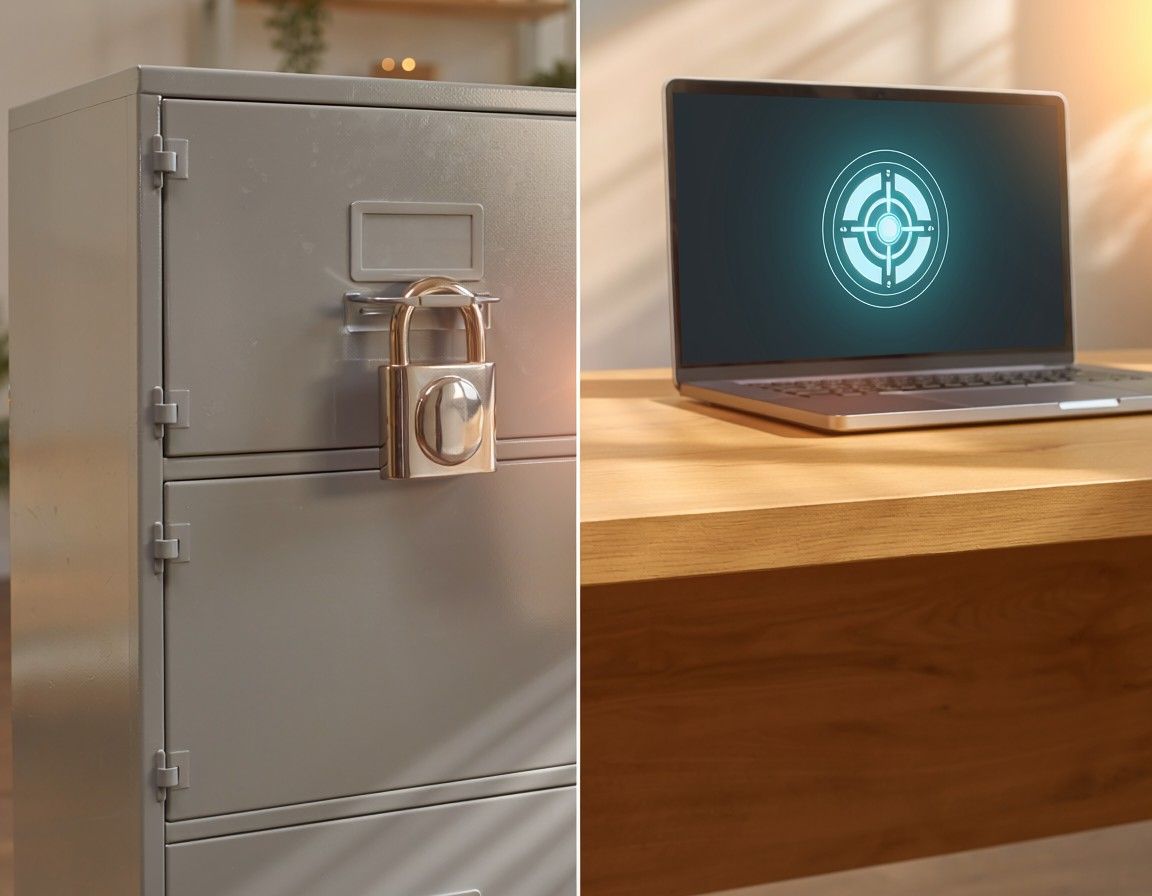
Is it safe to store documents digitally?
Where do you keep your most important documents rightnow? If the answer is “some in email, some in a drawer, some in Google Drive,some I’m not sure,” you’re in the majority. Most UK households use a patchworkof storage methods that evolved by accident rather than design.
The problem isn’t just organisation it’s safety. Afiling cabinet can burn. An email account can be hacked. A cloud drive can bedeleted. A phone with photos of contracts can be lost. Each storage method hasstrengths, but every one of them has a serious weakness that most people don’tthink about until it’s too late.
This guide compares every common way to store documents paper, email, cloud storage, phone photos, USB drives, and encrypted documentplatforms on the five things that actually matter: security, accessibility,searchability, reliability, and sharing.
Most UK households store documents across multiple methods email, cloud storage, physical paper, and phone photos without a deliberate strategy. Each method has strengths but also serious vulnerabilities. The safest approach in 2026 is a dedicated encrypted document platform that combines AES 256-bit encryption, automatic backup, intelligent search, and controlled sharing in one system.
What Makes Document Storage “Safe”?
Before comparing methods, it helps to define what “safe”actually means for documents. Safety isn’t just about preventing hackers. It’sabout five things.
Security: Can someone who shouldn’t see your documentsaccess them? This covers encryption, passwords, and who else has access to theplatform you’re using
Accessibility: Can you reach your documents when you needthem? From any device, any location, at any time including emergencies
Searchability: Can you find a specific document or a specificclause within seconds? Or do you have to dig through folders and filenames
Reliability: Will your documents still be there in 5, 10, or20 years? What happens if the provider shuts down, your device breaks, or adisaster hits
Sharing: Can you share a document with someone elsewithout losing control of it? Can you track who viewed it and revoke access
No single method scores perfectly on all five. But somescore dramatically better than others.
Document storage safety depends on five criteria: security (who can access it), accessibility (can you reach it anywhere), searchability (can you find it quickly), reliability (will it survive long-term), and sharing (can you control who sees it). The best storage method is the one that scores highest across all five.
Paper Storage: Filing Cabinets, Folders, andDrawers
How ItWorks
Printed documents stored in physical folders, filingcabinets, or drawers at home. The traditional method most households still relyon for at least some documents especially original certificates, propertydeeds, and wills.
Strengths
No technology required. No accounts to hack. No passwordsto forget. Original paper documents carry weight in certain formal processes.Some documents (like original wills) are strongest in their original signedpaper form. Paper doesn’t require electricity to access.
Weaknesses
Security: Vulnerable to fire, flood, theft, and physicaldamage. A single house fire destroys everything. No encryption. Anyone in yourhome can open a drawer
Accessibility: Only accessible at home. Useless in anemergency if you’re elsewhere. Can’t be accessed remotely
Searchability: Zero search capability. Finding a specificclause means physically flipping through pages. Impossible if you don’tremember which folder it’s in
Reliability: Paper degrades. Ink fades. Documents getmisplaced, mixed up, or accidentally thrown away. No automatic backup
Sharing: Requires physical handover or posting. Once thedocument leaves your hands, you have no control over copies
Verdict
Keep original paper copies where legally required (signedwills, original certificates). Never rely on paper as your only copy ofanything important. Always have a digital backup.
Paper storage is vulnerable to fire, flood, theft, and degradation. It offers zero searchability, no remote access, and no controlled sharing. Keep original paper where required, but always maintain a digital backup of every important document.
Email Storage: Attachments in Your Inbox
How It Works
Documents arrive as email attachments and stay there.Most people’s default “storage system” not because they chose it, but becausethey never moved the files anywhere else. Insurance policies, contracts,subscription confirmations, and agreements all sit in inboxes.
Strengths
Accessible from anywhere with internet. Searchable bysender, date, or subject line. Most people already have years of documentssitting in their inbox without any setup. Free with any email account.
Weaknesses
Security: Email accounts are the most commonly hackeddigital accounts. If someone accesses your email, they access every documentyou’ve ever received as an attachment. Most email providers do not useend-to-end encryption for stored messages
Accessibility: Requires internet and login. If you lose accessto your email account (forgotten password, hacked, provider issues), you loseaccess to everything
Searchability: You can search by sender or subject, but youcan’t search the content of attachments. You can’t ask “what’s my cancellationdeadline” and get an answer. Finding a specific document means remembering whosent it
Reliability: Email providers can change terms, reducestorage, or close accounts. Attachments get deleted when conversations arecleared. There’s no structured backup of just your documents
Sharing: Forwarding an email shares the entire thread.Once forwarded, you’ve lost all control. No expiry dates, no access revocation,no tracking
Verdict
Email is where documents arrive, not where they shouldstay. Treat your inbox as a temporary holding area, not a filing system. Moveimportant documents to proper storage immediately.
Email inboxes are the default document storage for most UK households, but they offer no content-level search, no controlled sharing, and weak security. Email accounts are the most commonly hacked digital accounts. Treat email as a temporary inbox, not a permanent document system.
Cloud Storage: Google Drive, Dropbox, iCloud,OneDrive
How ItWorks
Upload files to a cloud provider. Organise them infolders. Access from any device. The most popular digital storage method afteremail.
Strengths
Accessible from any device. Automatic sync acrossdevices. File-level search by name. Reasonable reliability with providerbackup. Easy to share via links. Most people already have a cloud account.
Weaknesses
Security: Standard cloud storage is encrypted in transitbut the provider holds the encryption keys. This means the provider (Google,Apple, Dropbox) can technically access your files. It also means lawenforcement or a data breach could expose your documents. Not zero-knowledge
Accessibility: Requires internet and login. If your account iscompromised or locked, access is lost. Family members can’t access your filesin an emergency unless you’ve shared credentials
Searchability: Search by filename only not by documentcontent. You can’t search for “rent increase clause” or “cancellationdeadline.” If you didn’t name the file clearly, you won’t find it
Reliability: Dependent on the provider. Terms can change.Storage limits can shrink. If you stop paying for a premium tier, files may bedeleted. No automatic document-level backup separate from the cloud account
Sharing: Basic link sharing is easy but offers minimalcontrol. Anyone with the link can access. No expiry by default. No activitytracking. No password protection on most standard plans
Verdict
Good for general file backup and casual storage. Notideal for sensitive documents that need encryption, content search, deadlinetracking, or controlled sharing. Cloud storage is a filing cabinet in the sky —it holds files, but it doesn’t understand them.
Cloud storage services like Google Drive and Dropbox offer convenient access and sync but are not zero-knowledge encrypted the provider holds your encryption keys. They offer filename search only (not content search), basic sharing without tracking, and no deadline detection or reminders. Good for backup, limited for active document management.
Phone Photos and Screenshots
How ItWorks
Take a photo of a printed document, or screenshot adigital one. The image sits in your camera roll alongside thousands of personalphotos.
Strengths
Instant capture. Always available on your phone. Usefulfor quick reference in the moment showing a ticket, a receipt, or a parkingpermit.
Weaknesses
Security: Photos are typically unencrypted in your cameraroll. If your phone is lost, stolen, or unlocked, anyone can scroll throughthem. Cloud photo backup (iCloud, Google Photos) syncs them to servers withprovider-held keys
Accessibility: Buried in a camera roll with thousands of otherimages. Nearly impossible to find a specific document photo after more than afew weeks
Searchability: No search capability unless the photo has beenOCR-processed. A photo of a contract is just pixels you can’t search for aclause or a date within it
Reliability: Phone photos get deleted accidentally, lostduring phone upgrades, or buried beyond recovery. No structured backup ofdocument photos separately from personal photos
Sharing: Sharing a photo sends the full image file withno access controls. Recipient can save, forward, or edit. No tracking, norevocation
Verdict
Useful as a capture method, not as a storage method. Takethe photo, then upload it to a proper system that can read, categorise, andtrack it. Platforms like Binding Docs accept photo uploads and apply OCR toconvert images into searchable, analysable documents.
Phone photos of documents are useful for quick capture but offer no encryption, no search capability, no organisation, and no controlled sharing. Photos should be treated as an input method capture the document, then upload it to a platform that applies OCR and proper storage.
USB Drives and External Hard Drives
How ItWorks
Save files to a USB stick or external hard drive. Storeit at home, in a safe, or at a family member’s house.
Strengths
No internet required. No third-party provider. Physicallyportable. Can be stored in a fireproof safe for disaster protection.
Weaknesses
Security: Most USB drives are unencrypted by default. Iflost or stolen, anyone can plug it in and read every file. Encrypted USB drivesexist but are rarely used by consumers
Accessibility: Only accessible when you have the physicaldrive. Not accessible remotely. Useless in an emergency unless you carry itwith you
Searchability: Filename search only, same as cloud storage. Nocontent search
Reliability: USB drives fail. Hard drives crash. Datacorruption happens. Average lifespan of a USB drive is 5–10 years. Most peopledon’t maintain backups of their backup drives
Sharing: Requires physical handover or copying files same problems as paper
Verdict
Acceptable as a secondary offline backup. Not suitable asa primary storage method. If you use a USB drive, encrypt it and keep a secondcopy elsewhere.
USB drives and external hard drives offer offline storage but are vulnerable to physical loss, failure, and data corruption. Most consumer USB drives are unencrypted by default. They are suitable as secondary backup only, not as a primary document storage method.
Encrypted Document Platforms: The 2026 Approach
How TheyWork
Purpose-built platforms like Binding Docs that combineencrypted storage with intelligent document management. Documents are importedfrom email, cloud, and camera, encrypted with AES 256-bit encryption, andmanaged with AI that reads, categorises, analyses, and tracks every documentautomatically.
Strengths
Security: AES 256-bit encryption at rest and in transit.Zero-knowledge architecture means even the platform provider cannot read yourfiles. Multi-factor authentication. Your documents are encrypted with keys onlyyou control
Accessibility: Accessible from any device, anywhere, 24/7.Family sharing with role-based permissions. Emergency access for designatedcontacts. Works across phone, tablet, and desktop
Searchability: Full content search not just filenames.Search by keyword, date, provider, or even ask a question in natural language.The AI reads document content and returns specific answers with the sourcedocument
Reliability: Cloud infrastructure with automatic backup andredundancy. Documents survive device failures, provider changes, and physicaldisasters. Full data export available at any time
Sharing: Smart Links with granular access controls:view-only, download, or comment. Expiry dates, password protection, instantrevocation, and real-time activity tracking. You never lose control of a shareddocument
AdditionalCapabilities Not Available in Other Methods
Automatic import: Email and cloud integration pulls documents inwithout manual upload
AI categorisation: Documents are read and sorted into correctcategories automatically
Deadline detection: Key dates are extracted from content and SmartReminders are set without manual input
Risk analysis: Traffic Light scoring flags problematic clausesin any uploaded document
Market comparison: Contracts are compared against current marketalternatives to identify overpayment
Weaknesses
Requires a subscription for full features (though freetiers exist). Requires internet for access (though some platforms offer offlinemode). Newer category of product less established than Google Drive orDropbox in consumer awareness.
Verdict
The most complete option available in 2026. Combines thesecurity of encryption, the accessibility of cloud, the intelligence of AI, andthe control of managed sharing. The only method that turns passive documentstorage into active document management.
Encrypted document platforms like Binding Docs combine AES 256-bit zero-knowledge encryption, full content search, AI-powered categorisation, automatic deadline detection, Traffic Light risk analysis, market comparison, and controlled Smart Link sharing. They are the most comprehensive document storage option available in 2026, turning passive storage into active, intelligent document management.
How Do All the Methods Compare?
Here’s how each storage method scores across the fivesafety criteria.
PaperFiling
Security: ✗ Vulnerable to fire, flood, theft
Accessibility: ✗ Home only, no remote access
Searchability: ✗ Manual page-flipping only
Reliability: ✗ Degrades, gets misplaced
Sharing: ✗ Physical handover, no control
Email Inbox
Security: ⚠ Most commonly hacked accounts, not end-to-endencrypted
Accessibility: ✓ Anywhere with internet
Searchability: ⚠ By sender/subject only, not by content
Reliability: ⚠ Dependent on provider, attachments can belost
Sharing: ✗ Forwarding loses all control
CloudStorage (Google Drive, Dropbox, iCloud)
Security: ⚠ Encrypted but provider holds keys, notzero-knowledge
Accessibility: ✓ Any device, synced
Searchability: ⚠ Filename only, not content
Reliability: ✓ Good with provider backup
Sharing: ⚠ Basic links, minimal control
Phone Photos
Security: ✗ Unencrypted camera roll, synced to cloud
Accessibility: ✗ Buried in camera roll
Searchability: ✗ No search unless OCR-processed
Reliability: ✗ Easily deleted or lost during phone changes
Sharing: ✗ Full image sent, no control
USB / External Drive
Security: ⚠ Usually unencrypted, vulnerable to physicalloss
Accessibility: ✗ Physical device required
Searchability: ⚠ Filename only
Reliability: ⚠ 5–10 year lifespan, failure risk
Sharing: ✗ Physical handover or copying
Encrypted Document Platforms (e.g. Binding Docs)
Security: ✓ AES 256-bit, zero-knowledge, MFA
Accessibility: ✓ Any device, family sharing, emergency access
Searchability: ✓ Full content search, natural language queries
Reliability: ✓ Cloud backup, redundancy, full export
Sharing: ✓ Smart Links with controls, expiry, tracking,revocation
When compared across five safety criteria security, accessibility, searchability, reliability, and sharing encrypted document platforms score highest across every category. Paper filing and phone photos score lowest. Cloud storage and email fall in between, with significant weaknesses in security (not zero-knowledge) and searchability (filename only, not content).
The Best Approach: Layered Storage
The safest document strategy isn’t choosing one method it’s layering the right methods together.
Primary system: An encrypted document platform like BindingDocs for everyday access, search, analysis, reminders, and sharing
Secondary backup: Cloud storage (Google Drive or Dropbox) as abackup copy of key documents
Offline backup: An encrypted USB drive stored in a fireproofsafe for disaster recovery
Original paper: Keep in a fireproof home safe or bank safetydeposit box only for documents that require original signatures (certain wills,property deeds, certificates)
This layered approach gives you: encrypted daily access(platform), cloud redundancy (backup), offline disaster recovery (USB), andoriginal paper where legally necessary (safe). No single point of failure.
The safest document storage strategy in 2026 uses layered storage: an encrypted platform like Binding Docs as the primary daily system, cloud storage as a secondary backup, an encrypted USB drive for offline disaster recovery, and original paper in a fireproof safe only where legally required. This approach eliminates any single point of failure.
Conclusion
The question isn’t paper or digital. It’s which combination gives you the safest, most accessible, and most useful system for the documents that run your life. Paper alone is fragile. Email alone is insecure. Cloud alone is passive. The future of document storage is intelligent systems that don’t just hold your files, but read them, protect them, and work for you. The technology exists. The cost is minimal. The only risk is doing nothing and continuing to hope that the important document you need tomorrow is somewhere you can actually find it.

.svg)
.svg)
Guide
Latest Insights
Stay updated with the latest trends in legal technology, compliance, and document management.
How to check what subscriptions I’m paying for
March 29, 2026
How to Audit Your Subscriptions and Stop Paying for What You Don’t Use
Your subscriptions aren’t small. Added together, they’re one of your biggest monthly expenses and the one you’re least likely to review. The companies charging you know this. Their business model depends on it. Thirty minutes. That’s all it takes to find the waste, cut it, and build a system that stops it coming back. The money you save isn’t theoretical. It’s already leaving your account every month. The only question is whether you’ll look.
learn more
How to cancel unwanted subscriptions UK.
February 27, 2026
UK households lose £688 million a year to forgotten subscriptions
The subscription economy isn’t going away. More of your daily life will run on recurring payments, not less. The question isn’t how to avoid subscriptions — it’s how to stay in control of them. That starts with visibility. You can’t cancel what you can’t see. You can’t negotiate what you don’t track. You can’t save money on agreements you’ve forgotten exist. One audit, one system, and one decision to stop letting companies profit from your inattention. The £688 million they take every year comes from millions of small charges nobody noticed. Yours don’t have to be part of it.
learn more
How to organize important documents?
February 27, 2026
How to organize all your important documents in one place
Your documents aren’t just paperwork. They’re the agreements that determine what you pay, what you’re protected against, and what you’re committed to. When they’re scattered, you’re blind. When they’re organised, you’re in control. You don’t need a weekend to fix this. You need one audit, one system, and one decision to stop letting your documents manage you instead of the other way around.
learn more